
Custom card UI builder (No Code Platform)
No-code platform enables users to build Applications & Components without writing traditional code, using visual interfaces and pre-built components instead.
UI/UX PROJECTSWEB
6/19/20242 min read
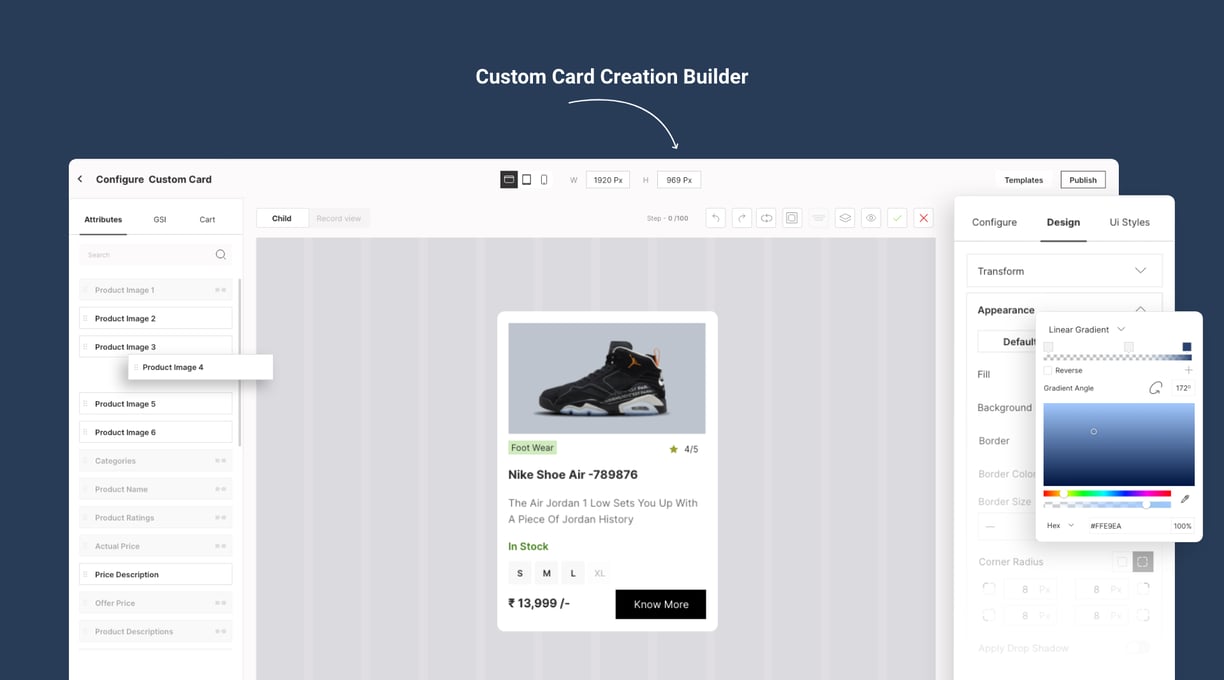
Features We Have included For Custom Card Creations
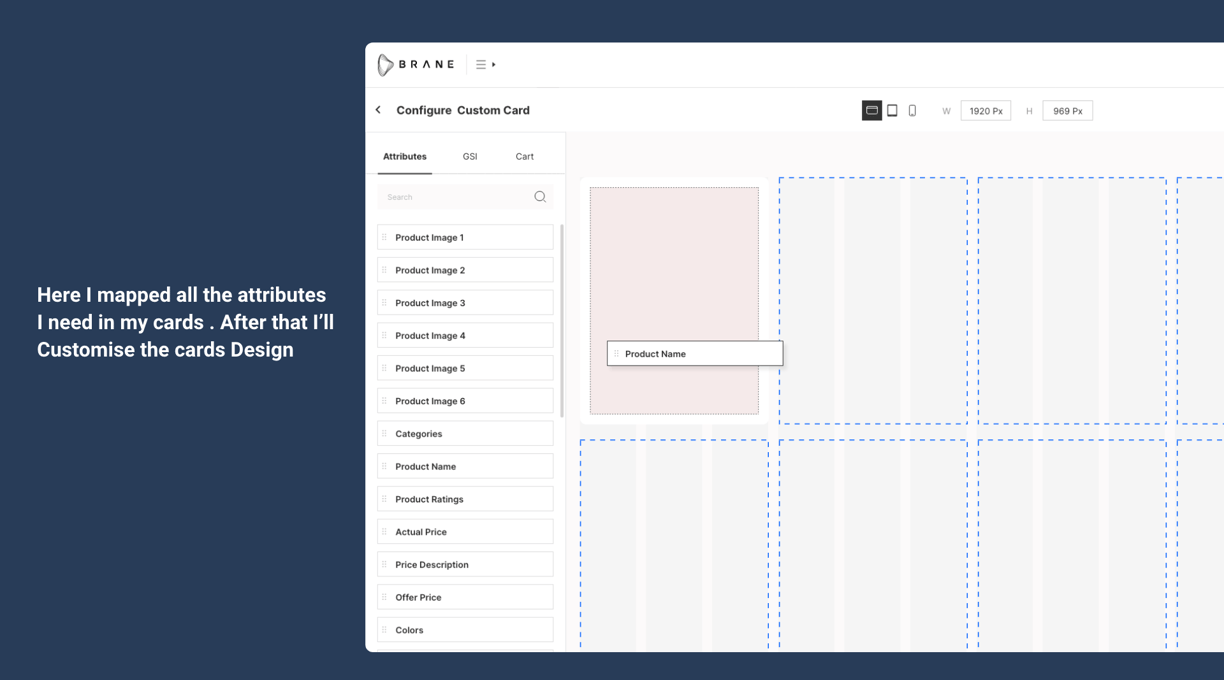
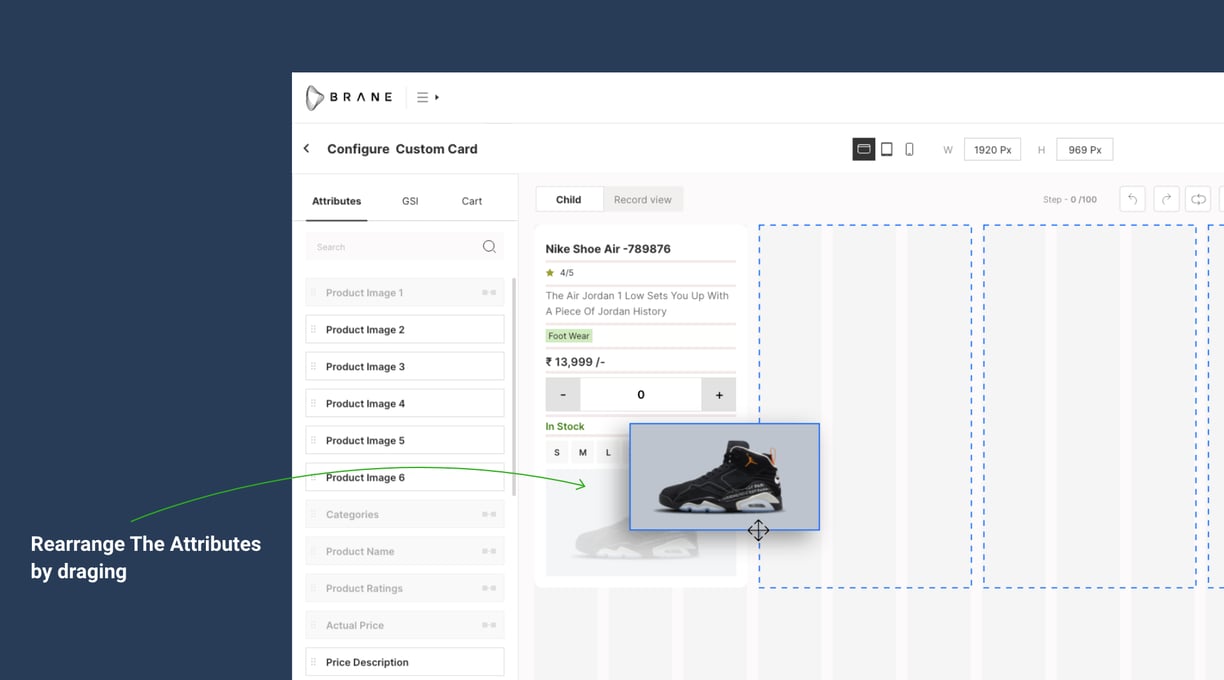
Users can drag components (like buttons, text fields, menus, etc.) onto a canvas or workspace, arranging them visually without needing to write code manually.
Allows users to apply styles, colors, fonts, and themes to UI components through an intuitive visual interface.
Enables defining interactions and behaviors through Mapping such as defining what happens when a button is clicked.
Includes tools for creating responsive layouts that adapt to different screen sizes and orientations (e.g., desktop, mobile, tablet).
Provides real-time preview capabilities to visualize how the UI will appear and behave as it's being developed.
Implemented The Conditional Design changes.
Added add to cart Customisation and Filter Customisation
Benifits
Reduces development time by eliminating the need to hand-code every UI element from scratch.
Facilitates collaboration between designers and developers by providing a common visual platform, so that any one can create custom cards according to their choice.
Promotes consistency in design across different parts of an application or among different applications within a product suite.
Card Creation & Mapping
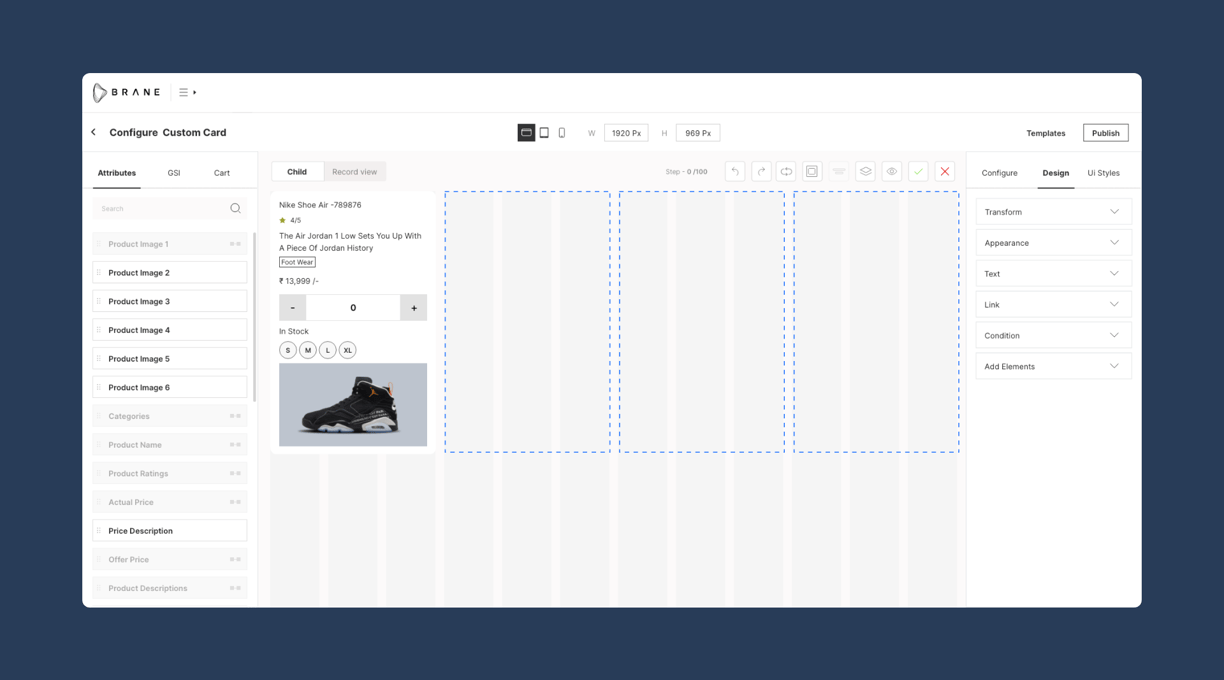
Design Customisation of Card
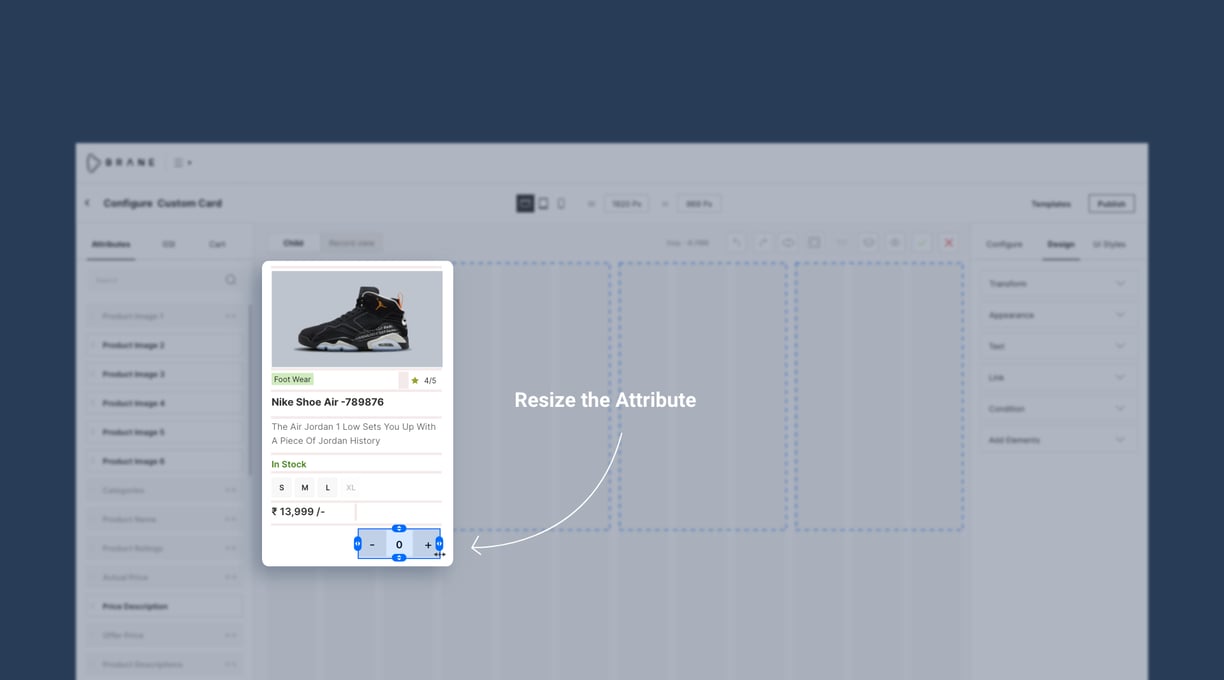
Rearrange & Resize attributes
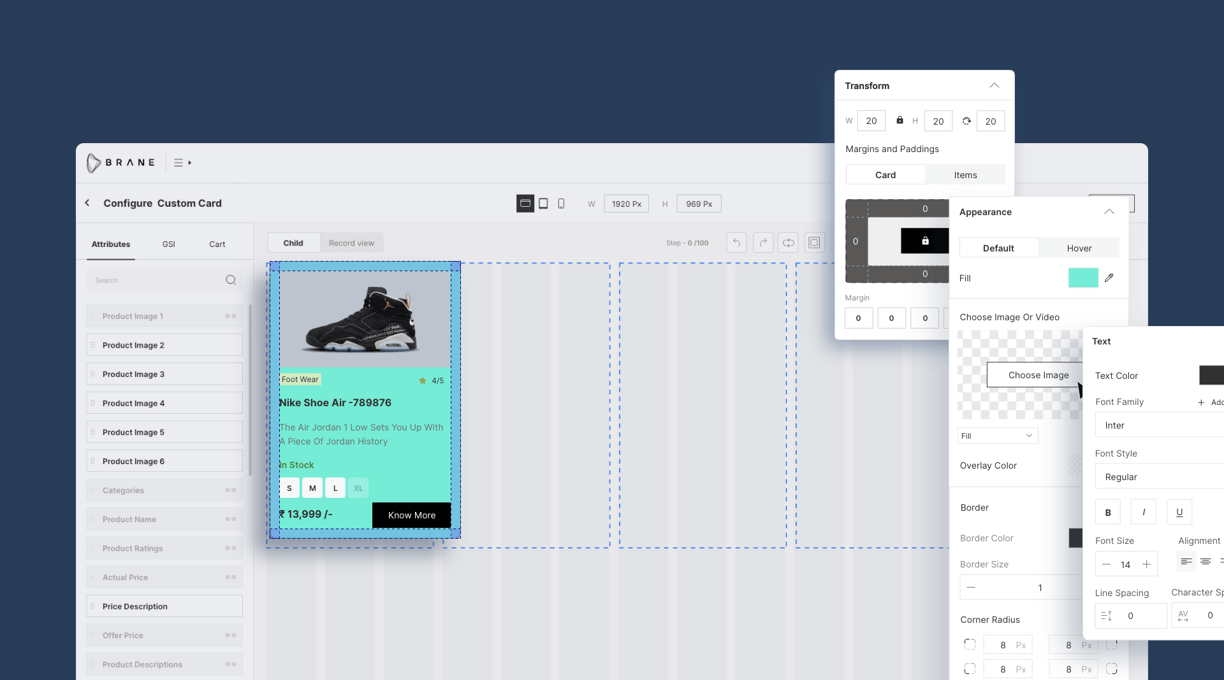
Transform, Text And Appearance Customisation
User can Change The Design according To his/her requirements, He can Change The Background Color , Can Add Background image , Manage Padding and Margin, customise Fonts and can Add custom fonts.
Conditional Customisation
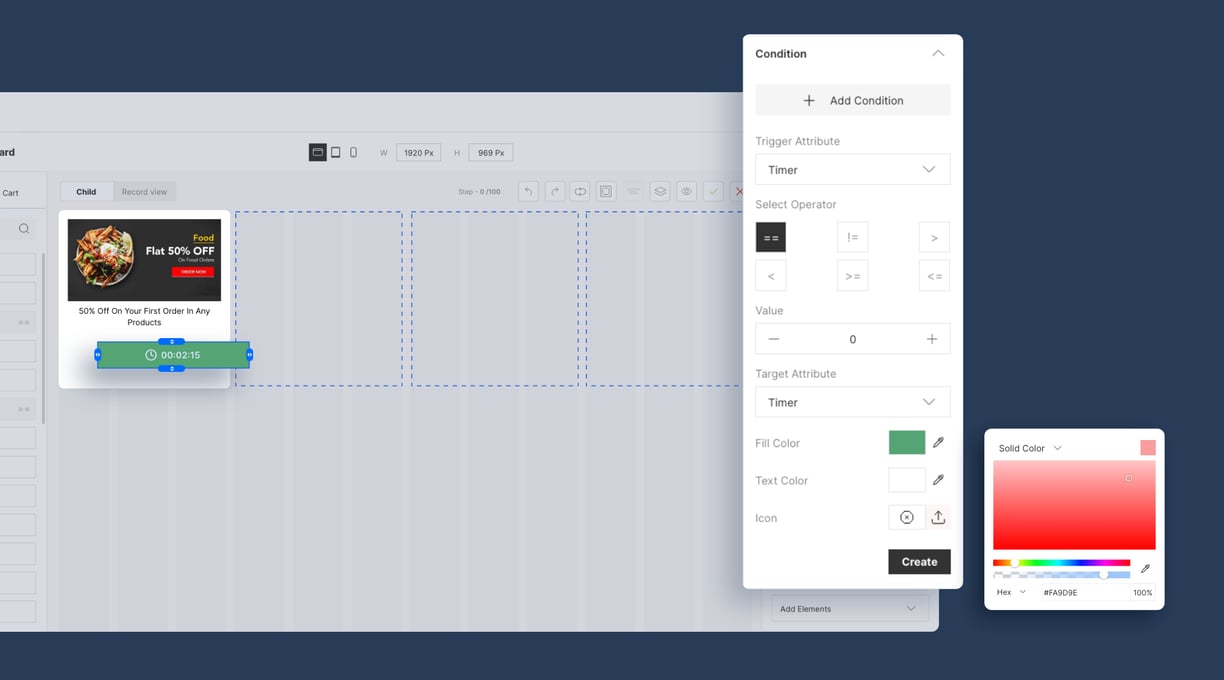
To Apply conditions We can Select Any Attributes from card and then select operator and eneter value then add customisation according to the conditions. You can add Multiple Conditions for one attribute. Let's see how it will work. In the Below Screen i have set the condition for if timer value is less than 0 then the button color will change red.
Explore our latest UI UX design projects here.
Contact Details
shashankabehera43@gmail.com
8280050272
© 2024. All rights reserved.